The transcription app that
works with the Wi-Fi off.
A real native app for Windows, macOS and Linux. Record any meeting without a bot, transcribe your whole backlog, and run the entire LiteScribe Engine offline - your audio and your AI, 100% on your machine.
Free 120 min / monthNo credit cardNo meeting bots
Data Analytics
Track your transcription usage and insights
Total Transcription Minutes
5301mins
↗ 12% vs prev
Number of Files
225
35 audio · 190 video
Avg Duration of Files
23.6mins
Time Saved
309hours
vs typing manually
Words Transcribed
122.8Kwords
Avg Accuracy
93%+
high fidelity
363 total
100%
On-device & private
0
Data to third-party AI
99
Languages, all local
22
Meeting blueprints
Transcribe with the internet off. And the cloud out of it.
The desktop app ships the full LiteScribe local stack - the LiteScribe Local Transcription Engine plus LiteScribe Local LLM Models (Small to X-Large) that write your summaries and action items. Everything - the transcription AND the AI enrichment - happens on your own CPU or GPU. Your audio never leaves the machine, and not a word of your conversation reaches a third-party AI company. The transcript syncs to your own LiteScribe account so you can reach it anywhere, or stays on the device with the audio the moment you mark local transcripts private. Offline mode is included with Starter, Pro and Business, and for 30 days with any minute pack.
On-device transcription
High-accuracy recognition with speaker diarization, fully local.
Local AI lens
Summaries, topics & action items from on-device LiteScribe Local LLM Models.
GPU accelerated
Uses your graphics card for fast, on-device processing.
Hardware-tiered models
Auto-picks the best model for your RAM & VRAM.
Private by design
Audio and AI processing stay on your machine. Always.
No third-party AI
Your conversation never reaches an outside AI company.
LiteScribe Engine
Local Engine · on-device
“…so for Q3 we should double down on the partner channel and revisit the pricing tiers before the board meeting.”
Audio never leaves
0 audio bytes uploaded
No third-party AI
Enriched on-device
Summary, action items and topics - generated by a model running entirely on your machine.
The meeting assistant that never joins your call.
No awkward bot in the participant list. LiteScribe quietly captures system audio from Zoom, Teams, Meet, Webex or Discord, shows a live speaker-labelled transcript, and writes your notes as you go. Ask it anything mid-meeting with Ctrl J, then get a post-meeting health card scoring clarity, ownership, focus and balance.
No bot, ever
Silent system-audio capture. Nobody else sees a thing.
Live speaker labels
Colour-coded transcript that names who's talking.
Ask Anything (Ctrl J)
In-meeting AI chat with slash commands.
Auto notes & actions
AI shapes your bullets and pulls out tasks.
Meeting health card
Clarity, ownership, focus & balance, scored.
Blueprints
Ready-made note structures for any kind of meeting.
Let's lock the launch date for the 15th.
Works for me - I'll own the press kit.
Great. I'll send the brief tonight.
# Launch plan
Launch date confirmed for the 15th.
↳ AI: Mike owns press kit; brief to be sent tonight.
If it has audio, it gets transcribed.
One hub, three lanes. Drag in audio or video, paste a link from YouTube, TikTok and dozens more, or browse straight into Google Drive, Dropbox and OneDrive. Drop a 4 GB video and the app extracts just the audio first - so you upload megabytes, not gigabytes - across 99 languages.
Drag & drop
Every common audio and video format.
Paste a link
Built-in downloader for social & web video.
Cloud import
Browse Drive, Dropbox & OneDrive in-app.
Smart audio extract
Strips audio from huge videos before upload.
99 languages
Auto-detect or pin one, then translate to other languages.
Guardrails
Speaker labels, PII redaction & profanity filter.
Drop files
Audio & video
Paste a link
YouTube, TikTok…
Cloud import
Drive · Dropbox
Smart extract: pulled audio from a 4.0 GB video, uploaded just 48 MB.
See it in action
Real screens from the desktop app - not concept art.
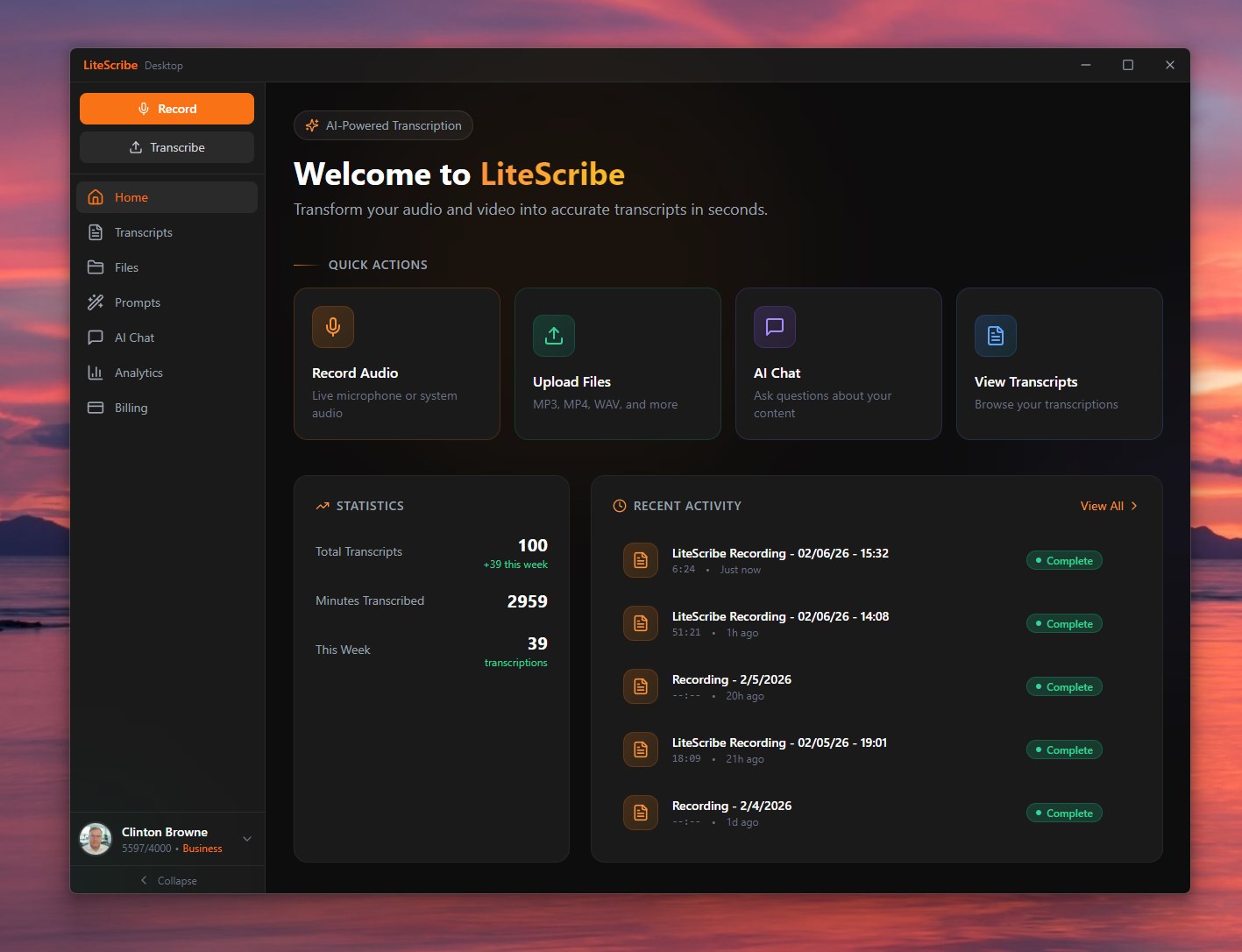
Your transcription home base
Quick actions, live stats, and recent activity the moment you open it.
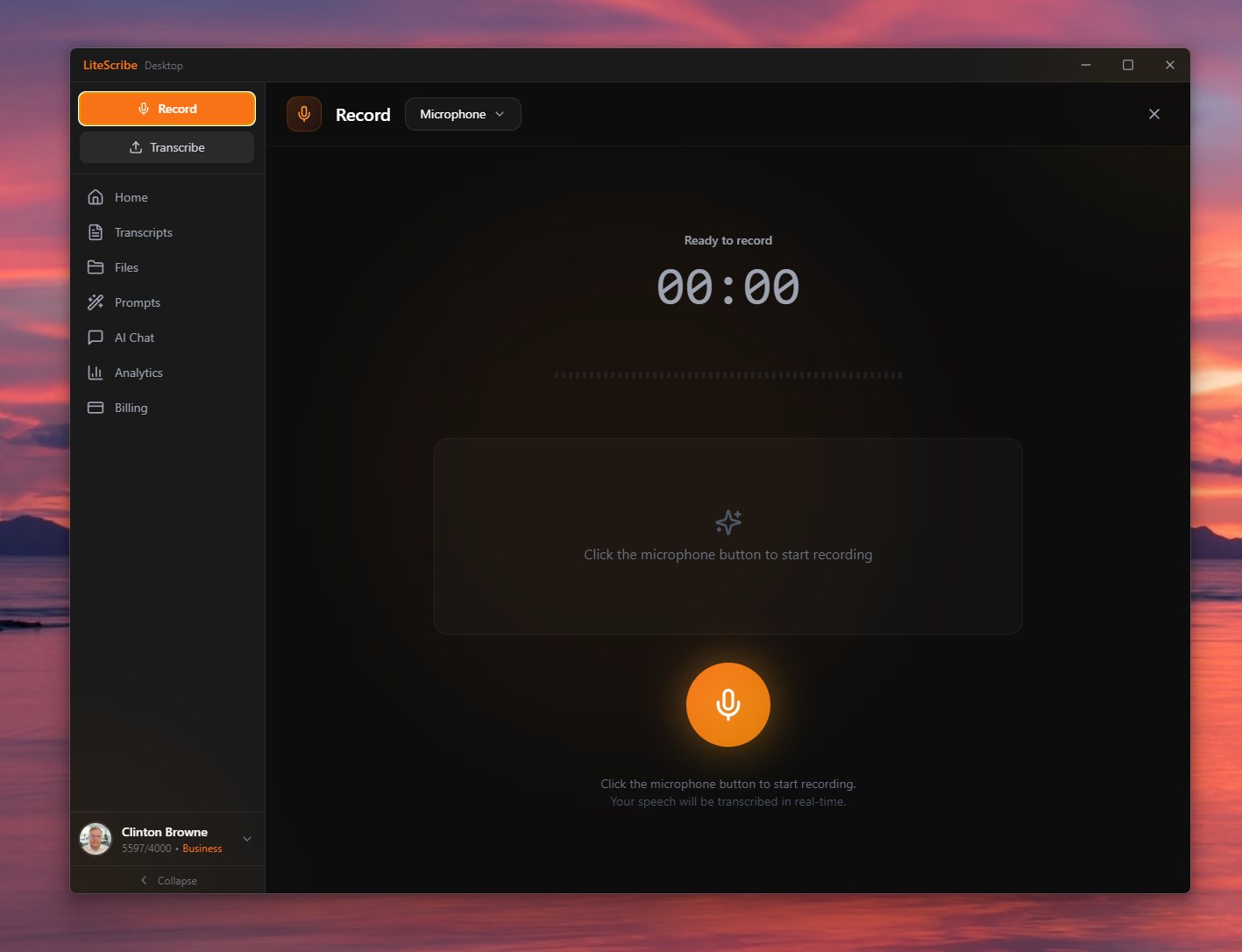
One-click recording
Record microphone or system audio and watch it transcribe in real time.
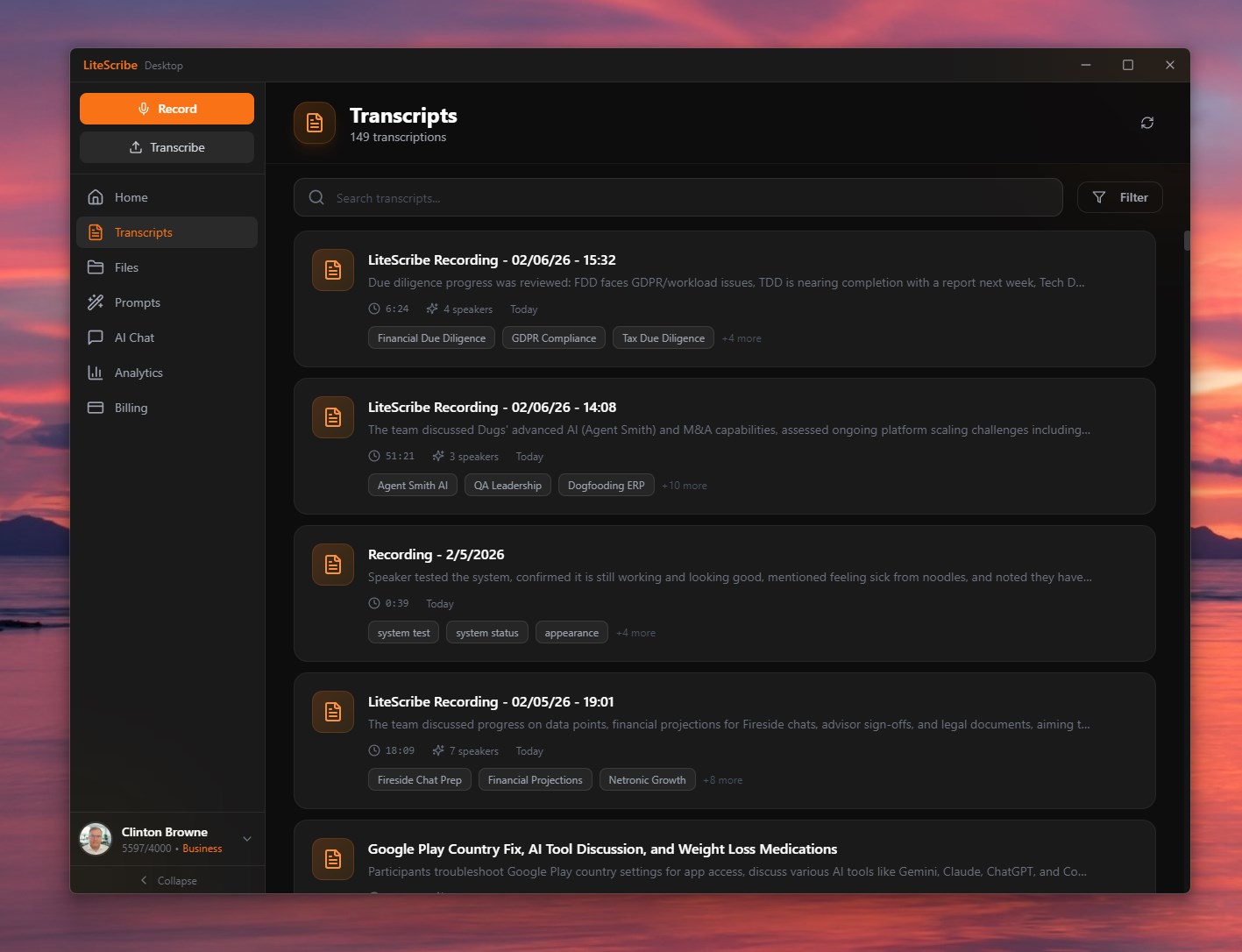
Every recording, searchable
A tidy library with speaker counts and auto-detected topic tags.
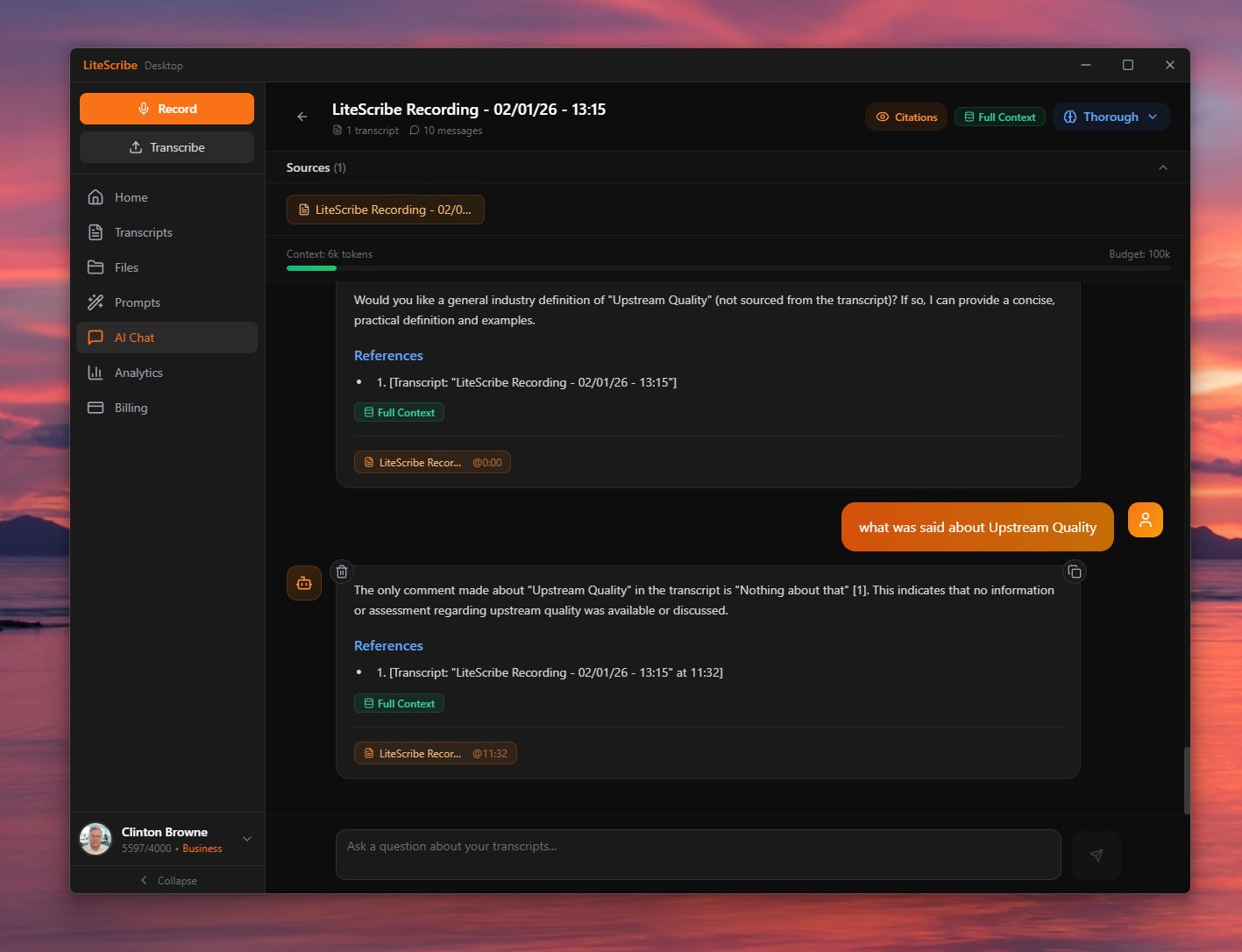
Chat across your transcripts
RAG answers with real citations and clickable timestamps.
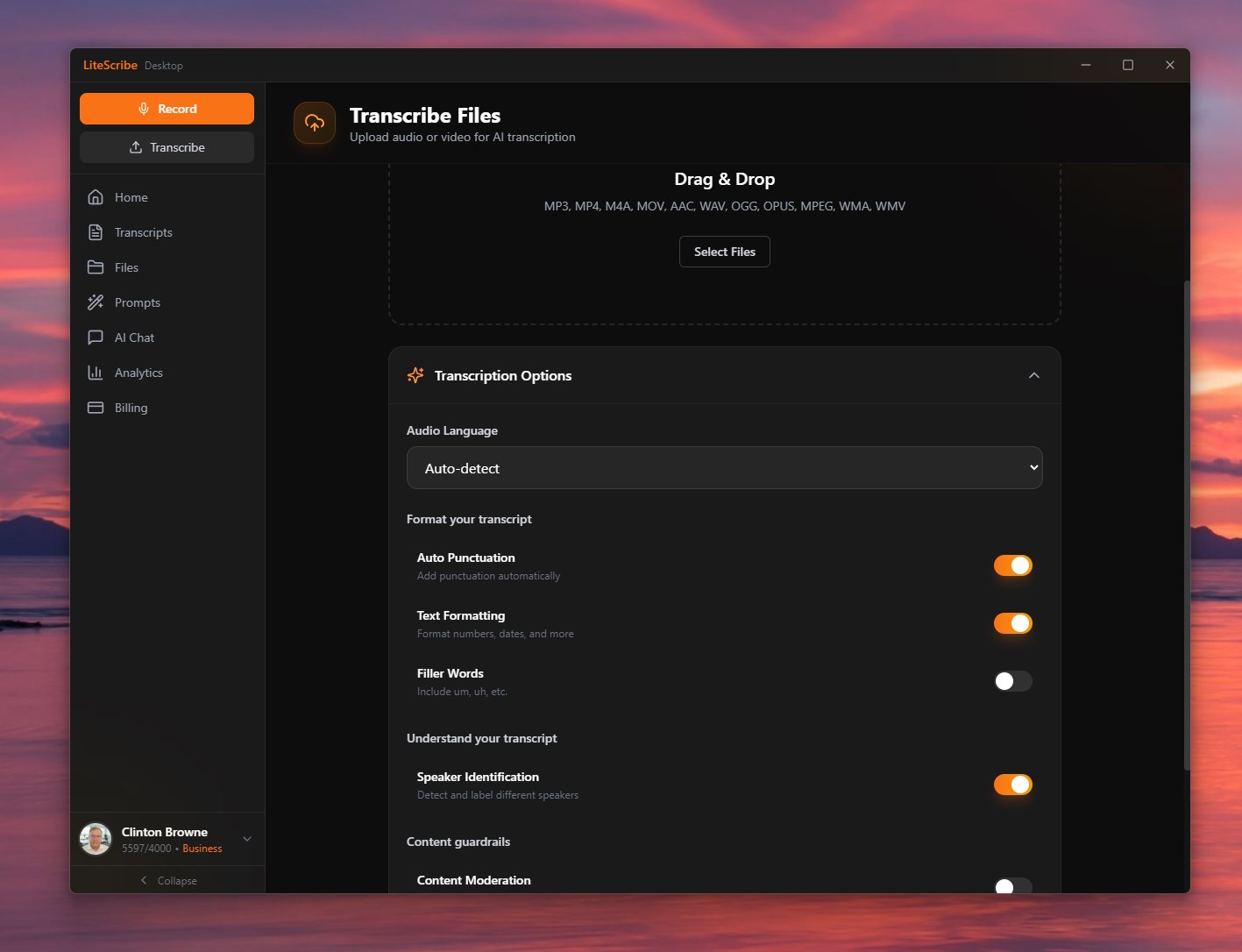
Upload anything
Drag in audio or video with full control over the transcription options.
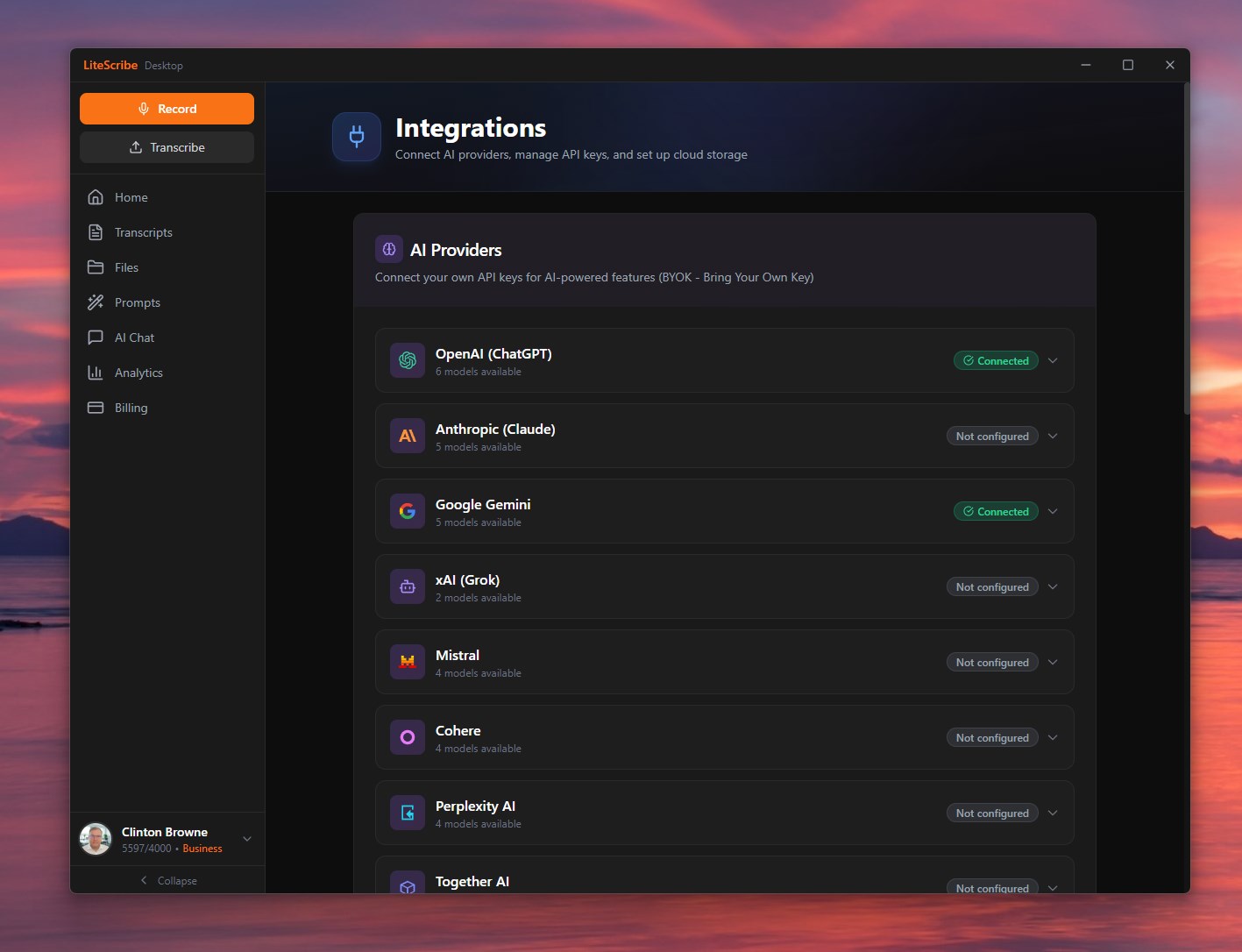
AI included, no key needed
GPT, Claude, and Gemini are built in through the LLM Gateway - included free on every plan.
Web tab vs desktop workstation
The web app is great. The desktop app does the things a browser tab simply can't.
Runs on your machine
Native builds for every desktop OS.
Windows
Windows 10 or 11 (64-bit). Also on the Microsoft Store.
macOS
macOS 12 Monterey or later on an Apple silicon Mac (M1 or later). There is no Intel Mac build yet.
Linux
.deb installer for Ubuntu/Debian, or AppImage for other 64-bit distros.
Download size shown under each buttonOffline mode on paid plans and packsSyncs to the cloud when you're online
Questions, answered
Q.Is transcription really 100% offline?
Yes. With the LiteScribe Local Transcription Engine installed, your audio is transcribed on your own CPU or GPU - no internet needed, no audio upload, nothing sent to a third-party AI company. Offline mode is included with Starter, Pro and Business, and for 30 days with any minute pack, and the cloud is always there when you want it.
Q.Is my data private?
On the offline path your audio and the local AI that summarises it both run on your machine, and the audio itself is never uploaded. The transcript syncs to your own LiteScribe account by default so you can reach it anywhere; mark a recording desktop-only and it stays on the machine with the audio.
Q.Which plans include offline mode?
Offline transcription and on-device AI are included with Starter, Pro and Business, and for 30 days with any minute pack. Transcription draws from your plan's minutes; the local AI then summarises, translates and cleans up your transcripts on your machine, so nothing - audio or text - is ever sent to a third-party AI company.
Q.Do I need a powerful GPU?
No. The app detects your hardware and picks a model tier that fits your RAM and VRAM, with a CPU fallback. A GPU just makes it faster.
Q.How big is the download?
Download sizes: Windows 253 MB, macOS 293 MB, Linux 223 MB, read from the release feed when this page was built. Offline models are a separate, optional download (the engine is about 50 MB and a recommended model 1 to 2 GB), only when you turn on Local Mode on a paid plan or with a minute pack.
Q.Which platforms are supported?
Native builds for Windows 10/11, macOS 12+ on Apple silicon Macs, and Linux (.deb for Ubuntu/Debian, or AppImage for other distros), plus the Microsoft Store.
Get LiteScribe for Desktop
Download the build for your computer and sign in with your LiteScribe account. Then record your next meeting, transcribe your backlog, and keep your most sensitive work entirely on your own machine.
Meetings all in the browser? The LiteScribe Chrome extension transcribes live from a tab with nothing to install, and shares the same account and minutes.